Cutly Be a tester

Android · free and open source

Cut the dead air out of every take.

Shoot a take in clips, read it back as text, and cut the silences out of it. Built for videos where talking is the whole point.

Not on Google Play yet. Testers get it first.

Why it exists

TikTok has no cut silences. Edits has one, but it isn't accurate. So I built Cutly.

Shoot. Read. Cut.

One take, three steps, all on the phone.

1

Shoot in clips.

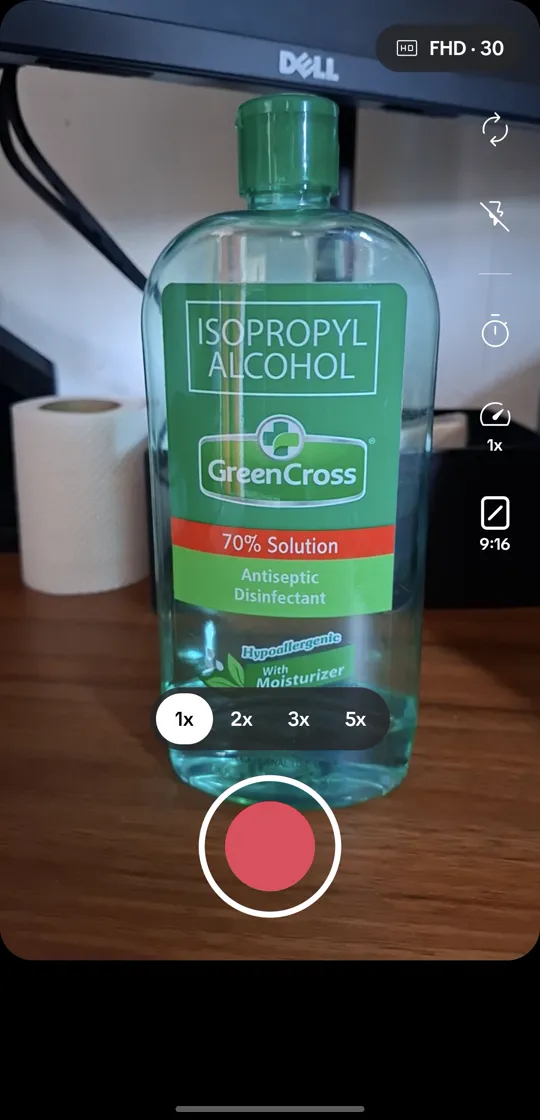
A segmented camera, like TikTok's. Pause ends a clip and recording again starts the next, so a fumbled line costs one clip, not the whole take.

  • Every clip is its own MP4
  • No length cap
  • Discard the last clip
  • Zoom stops
  • Double-tap to flip, even mid-take
Cutly's camera: zoom stops at 1x, 2x, 3x and 5x above a red record button
2

Read it as text.

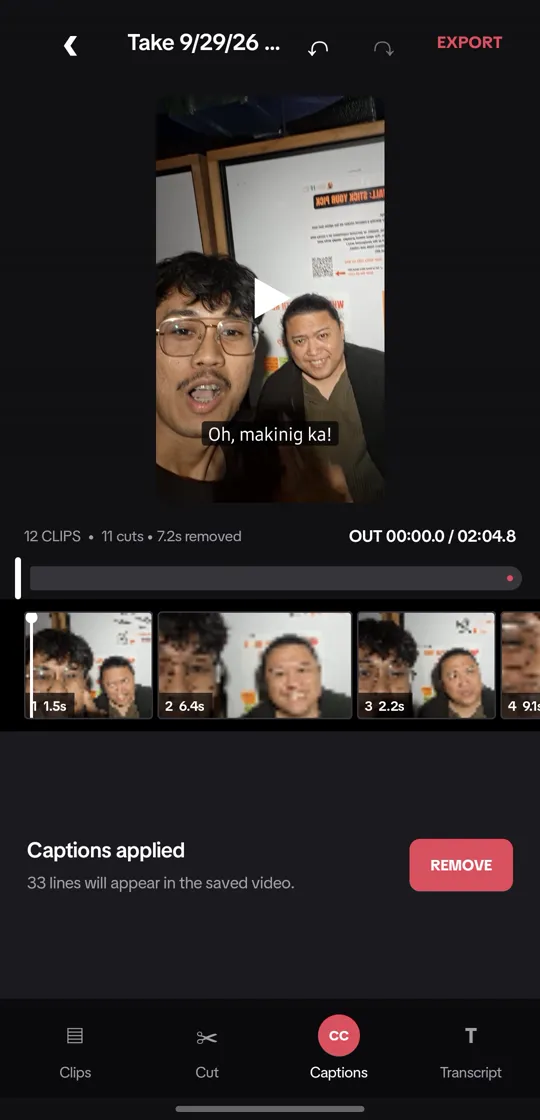
Transcribe the take on the phone, offline, or with your own cloud key. You get timestamped lines you can edit, and captions burned into the export.

  • Offline Whisper, about 100 MB
  • SHA-256 checked
  • Groq, OpenAI or Gemini, your key
  • Quick transcribe, no project needed
The editor after captions are applied: 33 caption lines will appear in the saved video
3

Cut the dead air.

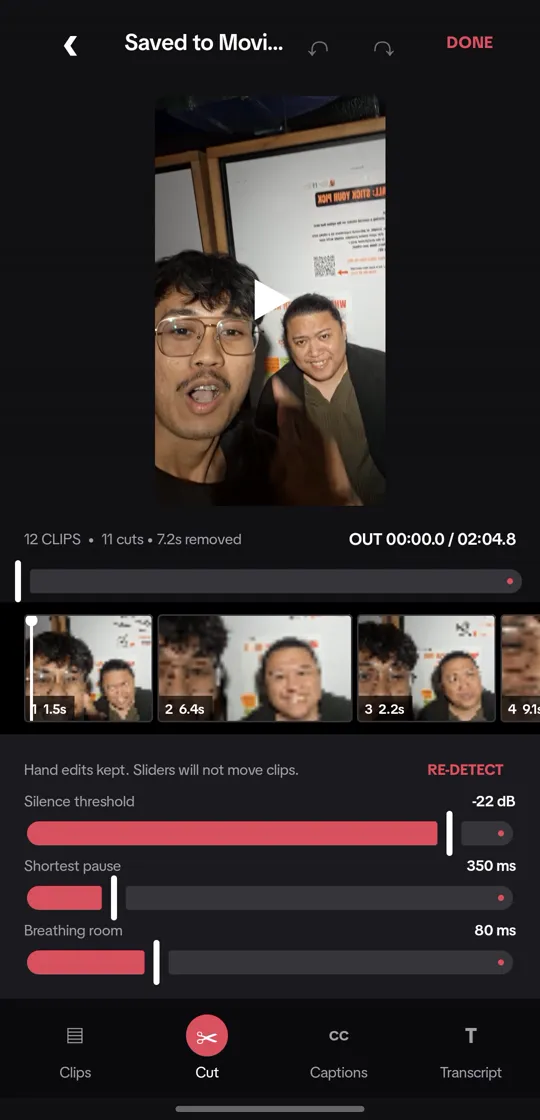
Cutly measures how loud the take is every 20 ms and cuts where it stays quiet. It tells you how many cuts and how many seconds come out before anything is encoded, and your hand trims stay where you put them.

  • Loudness every 20 ms
  • Nothing encoded until Save cut
  • Undo and redo
  • No FFmpeg
The cut sheet: 12 clips, 11 cuts, 7.2 seconds removed, with sliders for silence threshold, shortest pause and breathing room

Your turn.

This is a real 2:12 take from Cutly: how loud it was, every 20 ms. Move the sliders the way you would in the app. The cuts come from the same code, ported line for line.

02:03.7 02:12.1 11 cuts 8.4 s removed
Quieter than this counts as silence. Set it just above the room's noise.
Shorter pauses stay in. Cutting every breath is what sounds robotic.
Kept on both sides of a cut, so the next word keeps its start.
Starts at the settings this take was cut with.

Made for talking.

Cutly only goes by the audio. Anything that stays quiet long enough is a cut.

Talking is the content

Talking heads, tutorials, explainers, interviews. If you speak through the whole video, the pauses between your lines are exactly what comes out.

Silent vlogs

B-roll, scenery, quiet moments. Cutly can't see a good shot, only hear it. If that part of the audio is silent, it gets cut.

Your video stays on your phone.

Nothing leaves it unless you ask, and then only the audio.

  • Offline by default. Recording, cutting and the Whisper transcript all run on the phone.
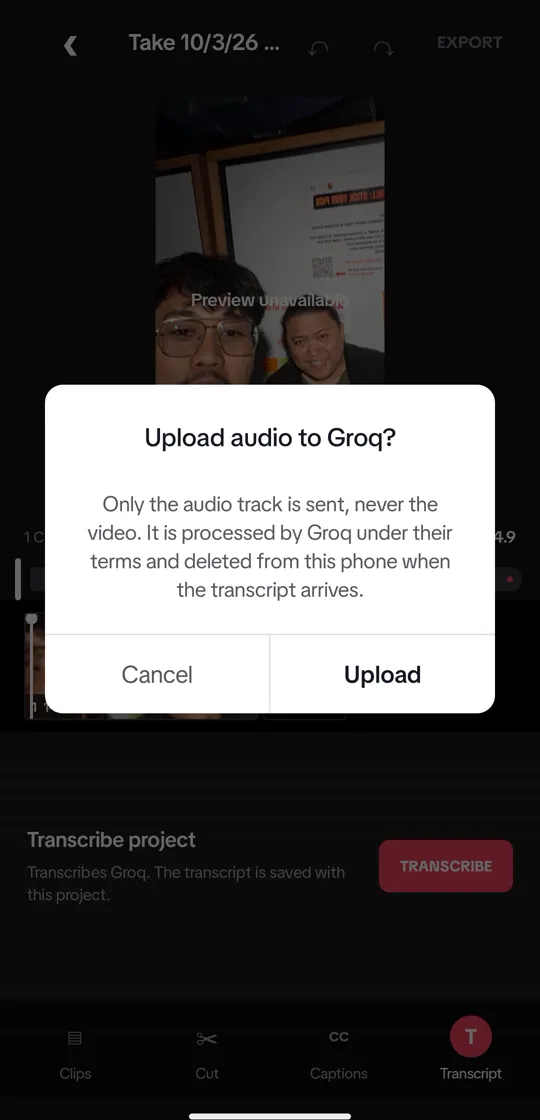
  • Your key, your call. Cloud transcription uses your own Groq, OpenAI or Gemini key, and asks before every upload.
  • Only the audio. The video is never sent, and the extracted audio is deleted as soon as the transcript arrives.
  • No account. No analytics, no ads, no crash reporting.
  • Nothing backed up. The app opts out of Google backup and device transfer.

Read the privacy policy

The upload prompt: only the audio track is sent, never the video, and it is deleted from the phone when the transcript arrives

Open source, all of it.

Apache-2.0. Read exactly how the cuts are placed, file an issue, or build it yourself.

  • Kotlin
  • Jetpack Compose
  • CameraX
  • Media3 Transformer
  • sherpa-onnx Whisper
  • No FFmpeg
Star on GitHub

Not on Google Play yet.

Google Play asks for twelve testers before a new app from a personal account can launch. Be one of them: install it from Play, keep it for fourteen days, and tell me what breaks.

Be a tester

Questions

Is it free?

Yes. Cutly is free and open source under Apache-2.0. If you use cloud transcription, the provider whose key you paste bills you for it, not Cutly.

Which phones does it run on?

Android 10 and up. There is no iPhone version.

Does it need the internet?

No. Recording, cutting and offline transcription work without a connection. The internet is used only for the one-time Whisper model download and for cloud transcription with your own key.

Will it cut my B-roll?

If the audio under it is silent, yes. Cutly decides from loudness alone. Raise the shortest pause, or lower the silence threshold, and fewer quiet stretches qualify.

How do I get it?

Right now, through the Google Play test: leave your Gmail at cutly.riecodes.com/tester. The source is on GitHub if you would rather build it yourself.